Stop Paying Per Clip.Clip Unlimited Videos With Your Own GPU.
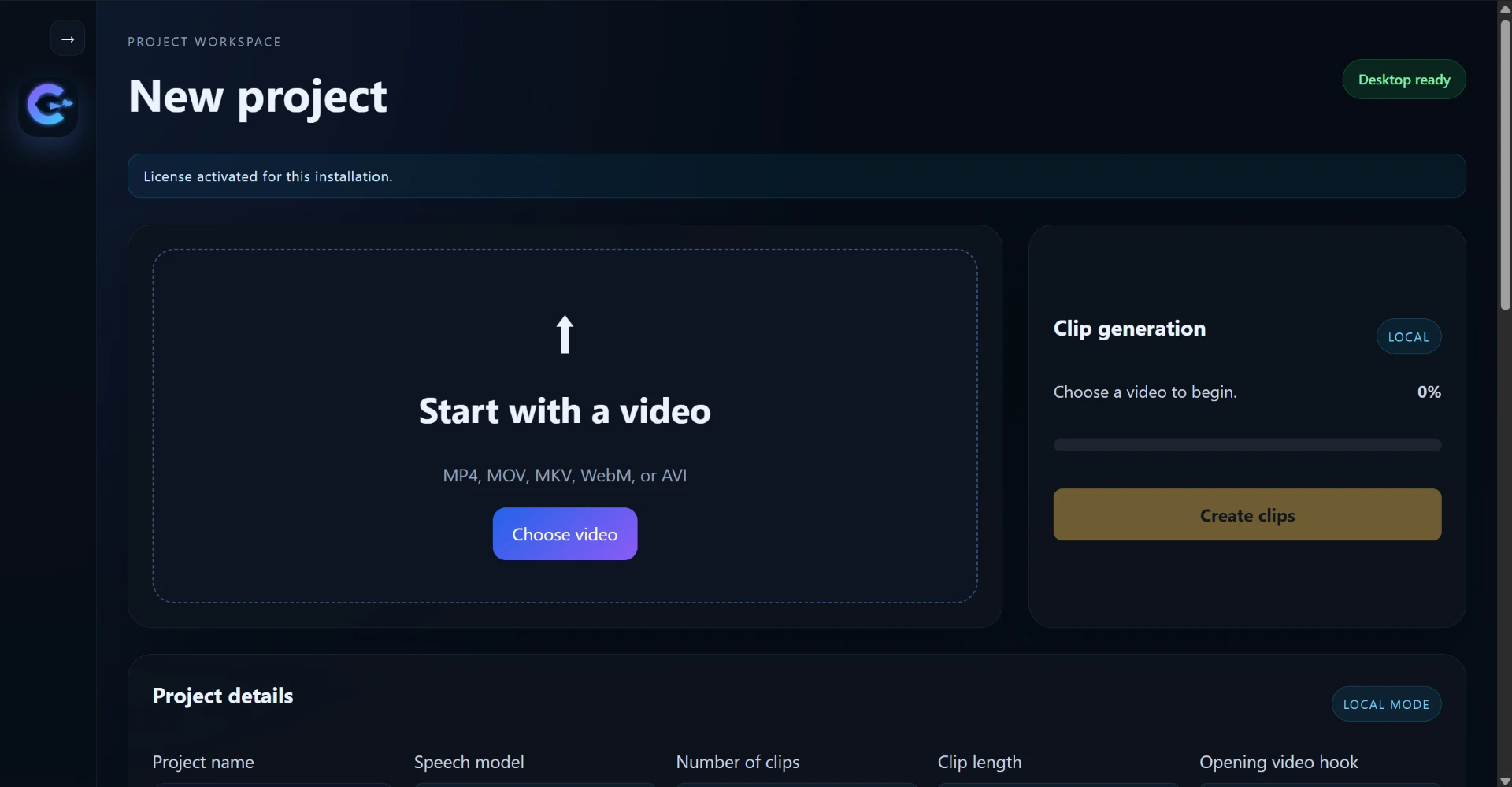
ClipFree turns podcasts, YouTube videos, interviews, and long-form content into short-form clips with captions, hooks, and sound effects — all processed locally on your computer.
1 free video • No credit card • Local processing
The difference
Why Pay Per Clip?
Your GPU. Your videos. Your clips.
Traditional cloud clipping
- Upload your video
- Wait for cloud processing
- Consume credits
- Hit usage limits
- Pay more as you create more
ClipFree
- Download the desktop app
- Process locally
- Use your own GPU
- No credits
- Unlimited video processing
- One simple subscription
How it works
Three steps. All on your machine.
Download
Download ClipFree to your computer.
Create
Import your podcast, YouTube video, interview, or other long-form content and generate clips.
Export
Customize captions, hooks and sound effects, then export your clips.
Features
Everything you need to clip. Nothing metered.
Unlimited Local Processing
Process as many videos as your computer can handle without consuming cloud credits.
GPU-Powered
Use your computer's GPU for local video processing.
Multiple Caption Styles
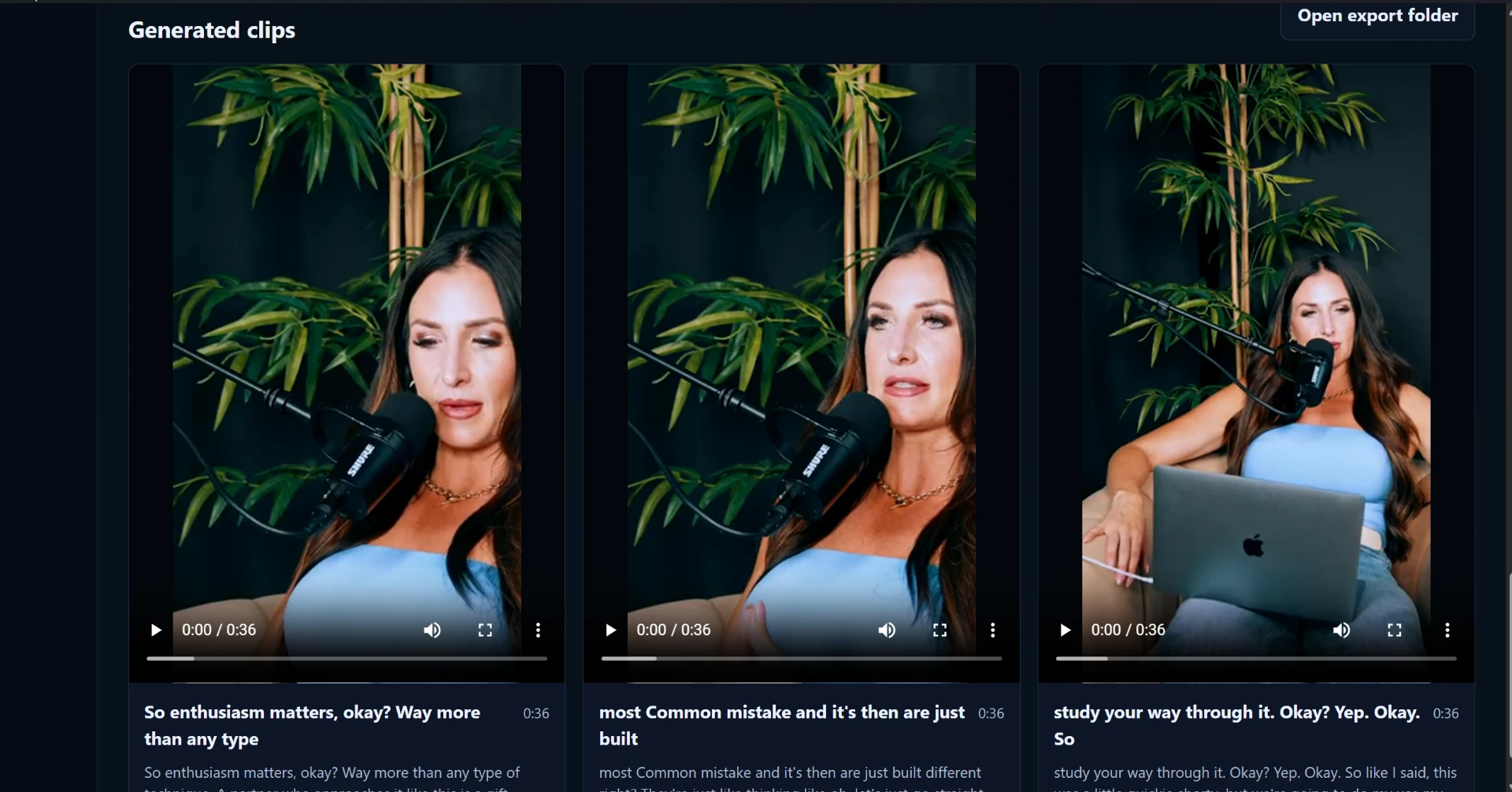
Choose from multiple text/caption styles to match the look and feel of your content.
Custom Hooks
Add an attention-grabbing hook at the beginning of your clip.
Zoom-Out Hook
Optionally use a zoom-out style hook to create a more dynamic opening.
Sound Effects
Optionally add a sound effect to your hook.
Fully Customizable
Hooks and sound effects are optional and can be changed or disabled.
Desktop Application
Run ClipFree directly on your computer instead of uploading every video to a cloud service.
Optional hooks
Make The First Second Count.
Add an optional hook at the beginning of your clip to grab attention before the main content starts.
- Hook can be enabled or disabled
- Zoom-out effect option
- Sound effect option
- Hook settings can be changed
- You stay in control of the final clip
Caption styles
Captions That Match Your Content.
Actual ClipFree output
Local processing
Your GPU Does The Work. Not Our Servers.
ClipFree is built around local processing. Instead of uploading your videos to a remote service and paying based on credits or usage, ClipFree uses your own computer's processing power.
No cloud credits.
No per-clip fees.
No artificial processing limits from a credit system.
Processing speed depends on your computer hardware, GPU, video length, resolution, and selected processing options.
The app
Software you download. Running on your computer.
The economics
Create More Without Watching Your Credits Disappear.
With ClipFree
Instead of
Who it's for
Built for people who clip a lot.
Podcasters
Turn long podcast episodes into short-form clips.
YouTubers
Repurpose long-form videos into short content.
Content Creators
Create more short-form content from existing footage.
Agencies
Process content for multiple clients locally.
Social Media Managers
Turn long-form content into content suited for short-form platforms.
Pricing
Simple Pricing. No Credits.
ClipFree Pro
Unlimited local processing.
$5/ month
- Unlimited local processing
- No clip credits
- No per-video charges
- Local GPU processing
- All caption styles
- Hook options
- Sound effects
- Regular app updates
Process your first video free. No credit card required.
Lifetime Access
First 100 customers only
$49.99one-time
- Lifetime access to ClipFree
- Lifetime updates
- Unlimited local processing
- No monthly subscription
- No processing credits
- All current features
Limited to the first 100 customers
Try ClipFree before you pay
Process Your First Video Free.
One free video • No credit card required
FAQ
Questions, answered.
Is ClipFree a web app?
No. ClipFree is a downloadable desktop application that performs video processing locally on your computer.
Is video processing done in the cloud?
The core video processing is designed to run locally using your computer's CPU/GPU rather than requiring cloud processing credits.
Is there a limit on how many videos I can process?
The paid plan does not use a credit-based video limit. You can process videos locally according to the capabilities of your own computer.
What does the $5/month plan include?
Unlimited local video processing, caption styles, hook options, sound effects and access to the ClipFree application.
What is the $49.99 lifetime offer?
The first 100 customers can purchase lifetime access to ClipFree for a one-time $49.99 payment.
Do I need a powerful computer?
Processing performance depends on your computer hardware, particularly your GPU, as well as video resolution, length and enabled features.
Can I try ClipFree before paying?
Yes. New users can process one video free before purchasing.
Can I cancel the monthly subscription?
Yes. The monthly plan can be cancelled according to the subscription terms shown at checkout.
Ready To Stop Paying For Every Clip?
Download ClipFree, process your first video free, and see what your own GPU can do.
First 100 customers only.